

Latest
DromorCraft1.4.24
Every file ships with a .sig: the signature the launcher checks before applying any update.
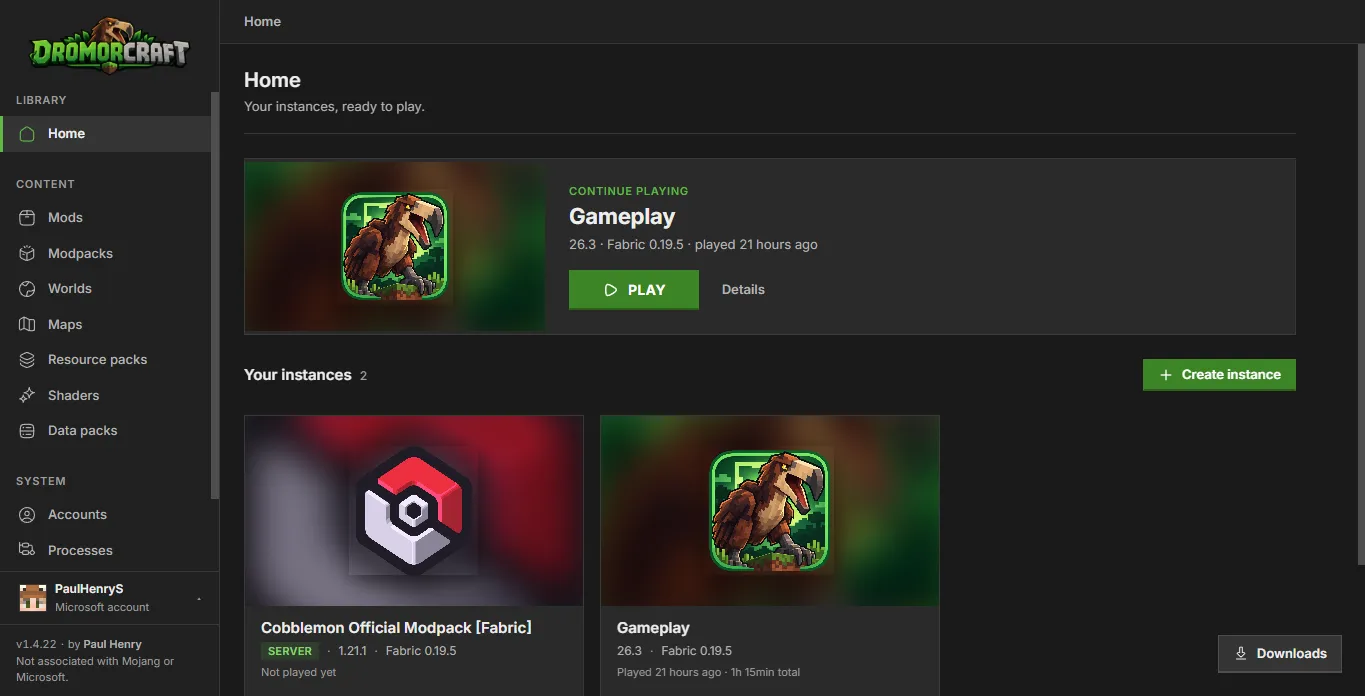
Each instance with its own version, loader, mods and worlds. Lightweight, direct and made for modded play.
.exe installer · x64 · 11.3 MB · or Linux (AppImage)
Compatibility
Install mods and modpacks straight from the biggest catalogs.
All major loaders
Features
Own version, loader, mods and worlds. One never interferes with another.
Mods, resource packs, shaders and data packs from Modrinth and CurseForge, dependencies resolved.
Install from the catalog, a .mrpack or a .zip; update without losing your changes; export any instance.
Your worlds with .zip backups, ready-made maps from CurseForge and each instance's screenshots.
Change skin, model and cape on your Microsoft account; offline profiles keep the skin in the launcher. 3D viewer.
Official Microsoft login, credentials in the system keychain. Offline profiles for servers that allow them.
Releases
Read straight from GitHub.
Every file ships with a .sig: the signature the launcher checks before applying any update.
What changed in 1.4.24
Data packs per world, any memory size per instance, exported modpacks without launcher cache files, and firewall status for adopted servers.
World backups can be restored and worlds imported from a zip; Forge 1.7–1.12 and NeoForge 1.20.1 install; Microsoft accounts play offline; Java from other launchers is found.
Play time and "continue playing" work; stopping the game asks it to save first; Forge and NeoForge open faster and offline; Quilt accepts Fabric mods and NeoForge 1.20.1 accepts Forge mods.
Download
Pick your platform.
How to install
DromorCraft_<version>_x64-setup.exe installer.How to install
DromorCraft_<version>_amd64.AppImage.chmod +x DromorCraft_*.AppImage && ./DromorCraft_*.AppImagewebkit2gtk, available in your distribution repositories.macOS version coming soon.
No installer yet
How to install
v1.4.24 · Sep 26, 2026.
All releasesEvery version ships in the official repository with release notes (in Portuguese) and installers for Windows and Linux.
Community
The official project channels.
Frequently asked questions
Didn't find what you were looking for? Ask on the forum or on Discord.
DromorCraft_<version>_x64-setup.exe installer and run it. It needs WebView2, which ships with Windows 11 and most up-to-date Windows 10 systems.chmod +x DromorCraft_*.AppImage && ./DromorCraft_*.AppImage. Requires webkit2gtk.Version 1.4.24
Download, install and create your first instance. The launcher handles the rest.
Free for personal use · Windows 10/11 · Linux
We collect anonymous metrics to improve your experience on the site. By accepting, you also help us with more complete statistics. Details