How to Install Mods in Minecraft Java: Step by Step Guide (2026)
Learn how to install mods in Minecraft Java Edition on PC: choose the loader (Fabric, Forge, Quilt or NeoForge), download from Modrinth or CurseForge and play crash-free.
By Paul Henry 3 min read
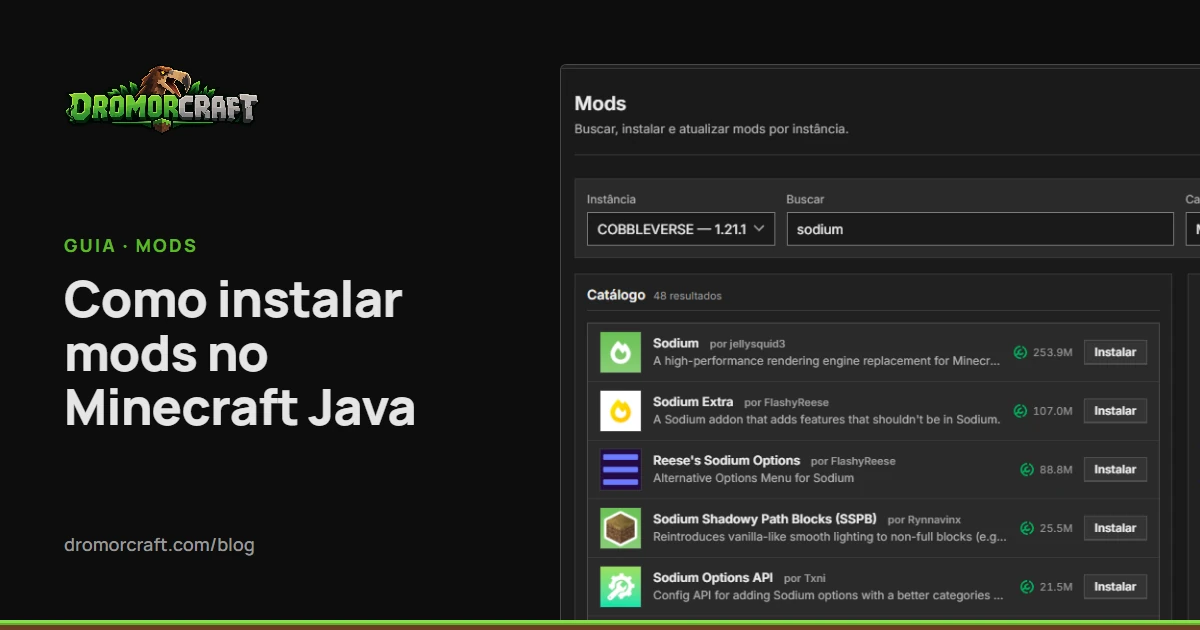
Installing mods in Minecraft Java Edition seems complicated the first time: you have to choose a loader, find the right version of each mod, download the dependencies and twist for nothing to break.This guide explains what each piece does and shows the shortest way to get to the game with mods, on Windows or Linux.
What you need before you start
An original copy of Minecraft: Java Edition (mods do not work in the Bedrock Edition the same way).
one Launcher We install loaders and mods. DromorCraft Launcher, which is free and runs on Windows 10/11 and Linux.
No need to install Java. If the machine does not have the runtime the version of the game requires, DromorCraft downloads the correct direct from Mojang servers.
What is a mod loader (and why it comes first)
Minecraft Java does not load mods alone. Who does this is the mod loader, a layer installed above the vanilla version. Each mod is made for a loader and for a specific version of the game: a Fabric mod for the 1.21.1 does not run in the Forge, nor in the 1.20.1.
The four most used loaders today are Fabric, Quilt, Forge and NeoForge. If you still don't know which to choose, read our comparative Fabric, Forge, Quilt or NeoForge.
How to Install Mods in Minecraft Java with DromorCraft
DromorCraft is organized into instances: each has its own folder, version, loader, mods, settings and worlds.
Download and Install Launcher by The download page Log in with your Microsoft account.
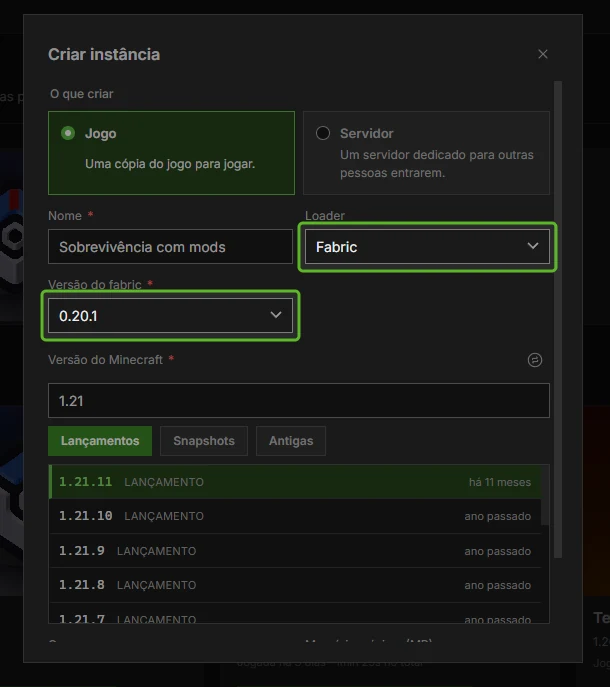
Create an instance, choose the version of Minecraft and the loader (Fabric, Quilt, Forge or NeoForge).
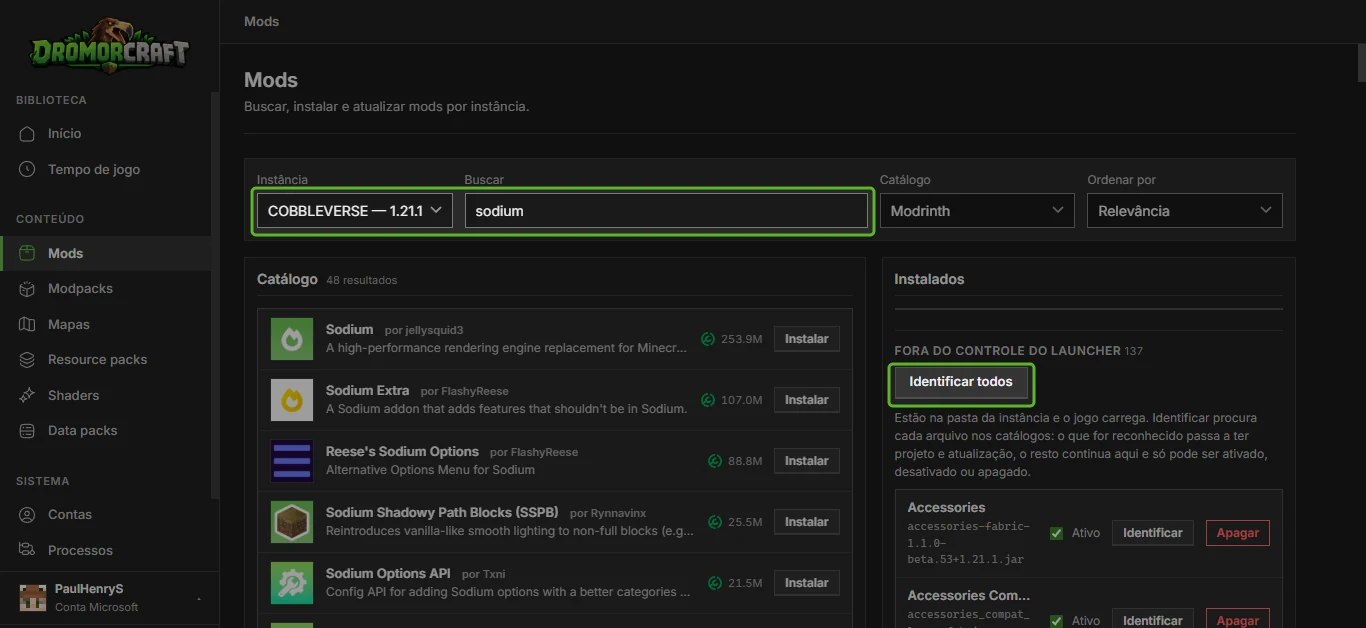
Opens the mods catalogue of the instance. The search already filters by version and loader of the instance, in Modrinth and in CurseForge, with description, gallery and changelog of each project.
Click on Install. Required dependencies (such as the Fabric API) come along, and each file has the hash checked before entering the folder.
Play. Before opening, the launcher checks if Java, loader and version hit. What doesn't hit turns a warning with the fix button, instead of an unexplained crash.
What if I have already downloaded the .jar file from the mod?
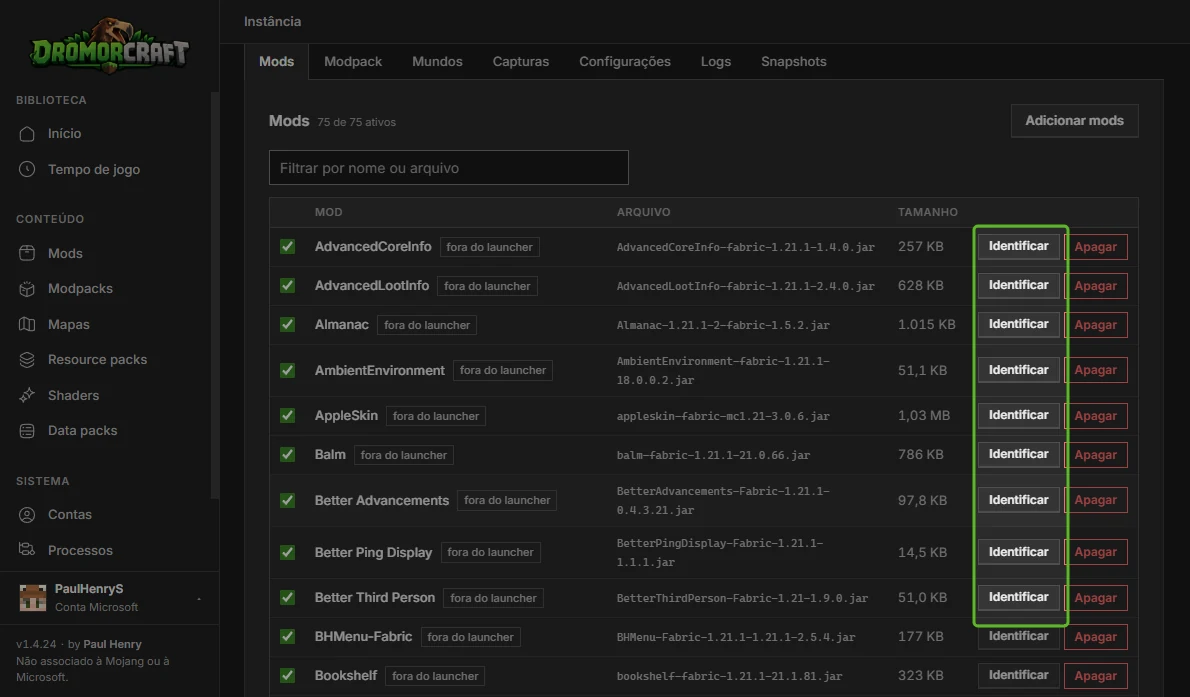
It also works. Place .jar in the instance’s folder mods/ (the button to open the folder is on the instance’s screen itself). DromorCraft calculates the file hash and asks the catalogues what it is: the mod gets name, version and upgrade path, as if it had been installed by the launcher.
Download mods only from Modrinth, from CurseForge or from the author’s official website. Sites that “repack” mods are a common way to catch malware in Minecraft.
Resource packs, shaders and data packs
Resource packs change textures and sounds. Install through the instance catalog; they work even on vanilla instances.
Shaders need a mod to load them.In Fabric and Quilt, the most common way is to install Sodium and Iris through the catalog and then the shader pack.
Data packs belong to a world. The launcher places them in the world you choose and lists them by world.
How to Update and Remove Mods
The Mods section of each instance is a table: you can turn off, remove or update when there is a new build, with filter by name or file. Before each mod update the launcher takes a snapshot of the instance, then, if the new version gives a problem, you return to the previous state with a click.
The game ended, and now?
When a session ends with an error, DromorCraft reads the log and crash report and recognizes the most common causes: missing dependence, mod made to another version or loader, duplicate mod, exhausted memory or Java wrong. Each finding comes with the correction on a button. If nothing resolved, open a topic at Launcher bugs, in the forum, with the log file.
Frequently asked questions
Can I mix Fabric and Forge mods?
Exceptions are known: instances Quilt accept most Fabric mods, and the NeoForge 1.20.1 accepts Forge mods.
How many mods can Minecraft withstand?
There is no fixed number: it depends on the mods, the reserved memory and your PC. Packs with hundreds of mods run well with enough memory. See the Java for Minecraft: which version to use and how much RAM to reserve.
Can the installation of mods ban my account?
Client mods (performance, minimapa, shaders) do not violate the rules of Minecraft on single player. On servers, follow the rules of each: many prohibit mods that give advantage.
Ready to test? Download DromorCraft and create your first instance with mods.
Also in Português
All posts